
Ze

Connect
Stop opening files
one by one.
Ze'Connect gives BIM teams five batch-automation tools in a single Revit add-in — NWC, DWG/PDF, IFC, Link Remapper, and Cloud Collaborate. All batch. All background. No models opened. No mornings lost.
Ze
Connect
 07:58 AMexport failed · file locked · retry 3
You know how the day goes on coordination.
A review is due. So you open a model, pull the 3D view, export the NWC, save it, close it - then do it again. Dozens of models, one at a time.
THE 8AM PROBLEM
Repetitive
Exports
Every coordination review begins with the same routine. Open, export, save, close—repeated across dozens of models. Valuable hours disappear before coordination even begins.
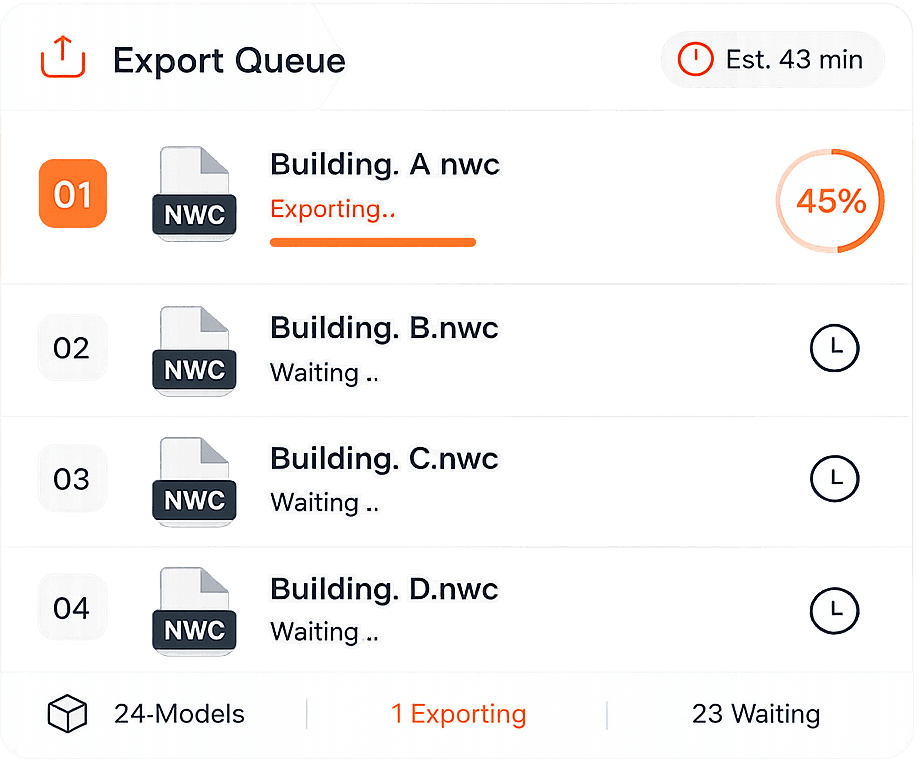
Broken
Connections
A server rename or BIM 360 migration shouldn't stop your workflow. Yet every broken link demands manual inspection, remapping, and reloading—one model at a time.
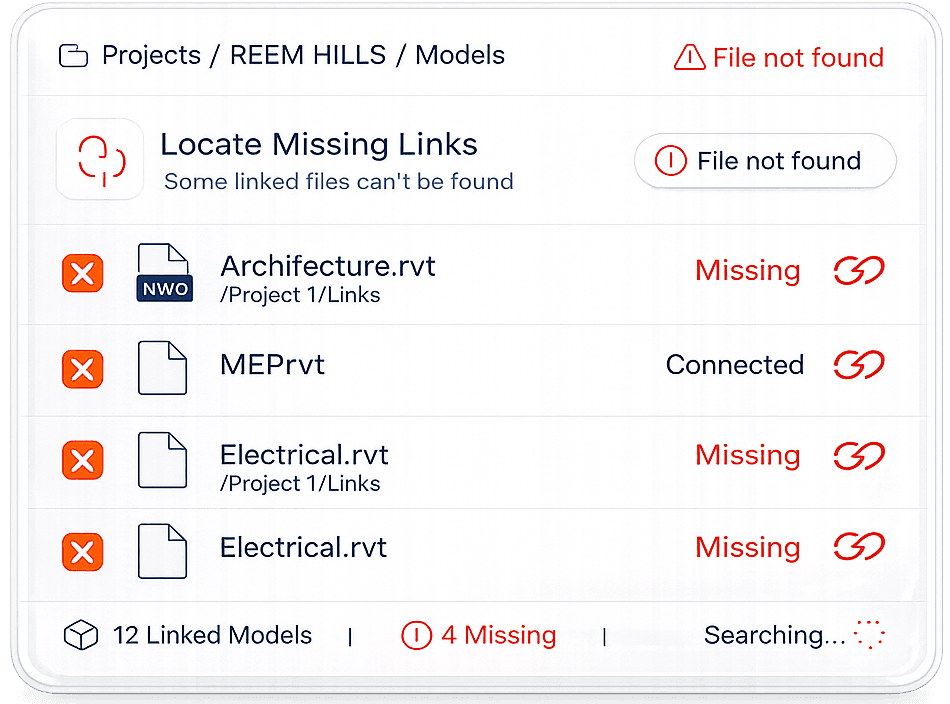
Hidden
Productivity Tax
One missed view or outdated export is enough to compromise an entire coordination review. Small manual tasks quietly become a recurring cost across every BIM project.





Five tools. One add-in.
All built for batch.
WHAT'S INSIDE


Batch NWC Export
Export every model to Navisworks at once — without opening a model. Preparing models for a coordination review no longer means opening each file by hand.

Batch DWG/PDF Export
Push views and sheets from any model out to DWG and PDF in one batch — without opening a model. Drawing issues stop being an afternoon of File → Export, one file at a time.


Batch IFC Export
Generate openBIM-ready IFC models from every file at once — without opening a model. The handover deliverable stops being a manual, file-by-file export.
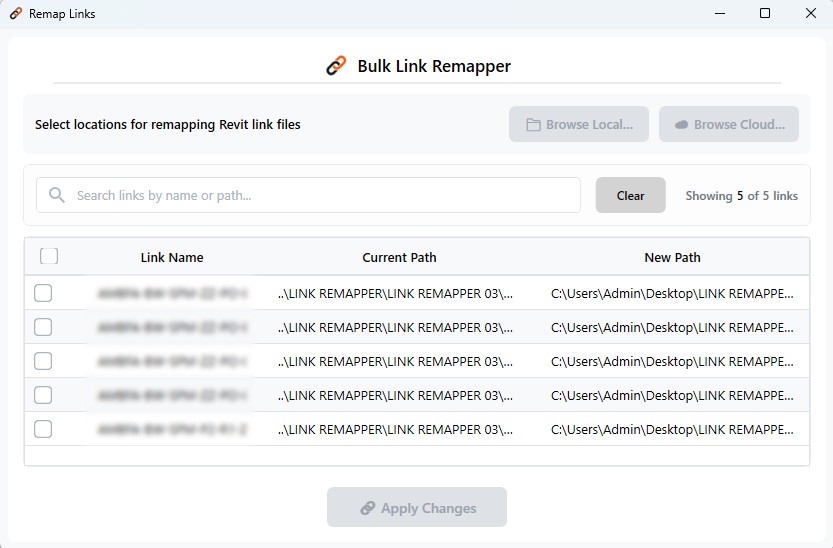
Link Remapper
Remap and reload every Revit link in one batch. When project paths change or teams shift between local and cloud, Ze'Connect handles all the relinking at once.

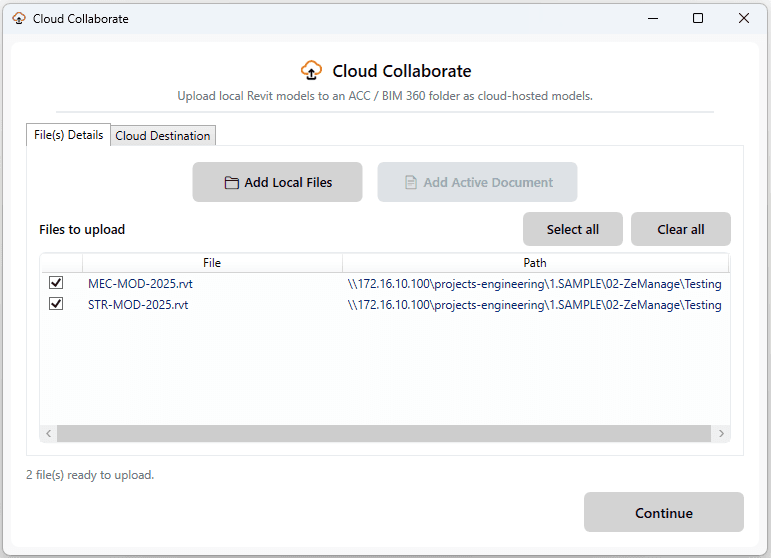
Cloud Collaborate
Upload local Revit models directly to ACC or BIM 360 — without opening each one. Perfect for teams moving files from local storage to cloud at the start of a project or sprint.
The same coordination cycle.
Half the overhead.
Every workflow Ze'Connect touches is one that used to require opening models one by one.
WithOut
Ze
Connect
A morning of prep work before coordination can begin
Open Revit → navigate to file → pull 3D view → configure export
→ save → close. Repeat for every model in the set.
NWC / DWG / IFC export
Open Manage Links → find each broken link → browse to new path → reload. Repeat for every link in the model.
Link remapping
Open each local file → File → Save As Cloud Model → navigate the ACC web UI for each one. File by file.
Uploading models to ACC / BIM 360
With
Ze
Connect
One batch run. Walk away. Come back to finished files
Select all files → configure once → click Export. Ze'Connect pulls views and writes output files in the background. No files opened.
NWC / DWG / IFC export
See every link in the model at once → point to new paths → click Remap All. Done in minutes, not an afternoon.
Link remapping
Select local files → browse ACC folders inside the plugin → upload in batch. No round-trip to the web UI.
Uploading models to ACC / BIM 360
" Ze' Connect made it much easier for our team to manage Revit links and export model views for coordination. The whole process feels more structured now, especially when we're collaborating across multiple teams."

Smith J.
CEO of StudioX.
Pricing
Spend less time on coordination.
More time on delivery.
Monthly
Annual
Monthly
$25 / License / month
$10
/per License/month
All 5 batch tools — NWC, DWG/PDF, IFC, Link Remapper, Cloud Collaborate
Local + ACC / BIM 360 suppor
Team assignments & ownership
Revit 2022–2027
30-day free trial · no card required
Stop losing mornings on preparation work.
Run your next coordination set through Ze'Connect — free for 30 days. Your team recovers the time on Day 1.



Questions?
We're here to assist!
Integrated engineering solutions that drive performance, efficiency, and growth
1. What is a CRM platform?
A CRM platform enables businesses to manage customer relationships, track leads, organize sales pipelines, streamline communication, automate tasks, and enhance team collaboration, all within a single centralized system for efficiency.

2. Is there a free trial available?

3. Can I integrate this CRM with other tools?
4. Is my data secure?
5. Can my team collaborate within the CRM?
ZestineTech
Redefining Engineering Intelligence
@2026 ZestineTech All rights Reserved